
- SureCookie Installation Guide
- Installing SureCookie Pro
- Updating SureCookie
- How to Set Up SureCookie: Onboarding Wizard Guide
- SureCookie Dashboard Overview
- Connecting Your Site to SureCookie (Scanner Setup)
- Using SureCookie on Multiple Sites
- Uninstalling SureCookie & Data Cleanup
- Preferences Settings (Menu, Branding, Analytics)
- Re-Consent
- Understanding SureCookie Logs
- How to Set Up Geographic Targeting
- Block Scripts Until Consent (Resource Blocking)
- Setting Up Google Consent Mode v2
- Consent Models Explained (Opt-in vs Opt-out)
- Exporting Consent Logs (PDF Proof + CSV)
- Consent & Data Settings (Duration, Retention, Renew)
- Consent Forwarding Across a Multisite Network
- Resource / Script Blocking (Add Embeds + Fixes)
- Fix a Stuck or Failed Cookie Scan
- Why Some Cookies Aren’t Detected
- Banner Not Appearing: Troubleshooting
- Settings or Cookie Categories Not Saving
- Embeds Blocked After Consent (YouTube, Maps, Vimeo)
- Scanning Your Site From Your Browser
- Importing and Exporting SureCookie Settings
- Verifying Your Domain With a DNS Record
- Whitelisting the SureCookie Scanner
- Excluding the SureCookie Banner from LiteSpeed Cache
SureCookie Installation Guide
SureCookie is a powerful WordPress plugin designed to help you add a fully customizable cookie consent banner to your website without any coding.
With features like drag-and-drop banner customization, flexible consent categories, GDPR-ready compliance settings, and seamless theme compatibility, SureCookie ensures your cookie notice not only looks great but also keeps your site compliant.
This guide will walk you through the simple steps to install SureCookie on your WordPress site.
Let’s get started!
Installing SureCookie is simple and can be done in any of the following ways:
Installing SureCookie from Your WordPress Dashboard
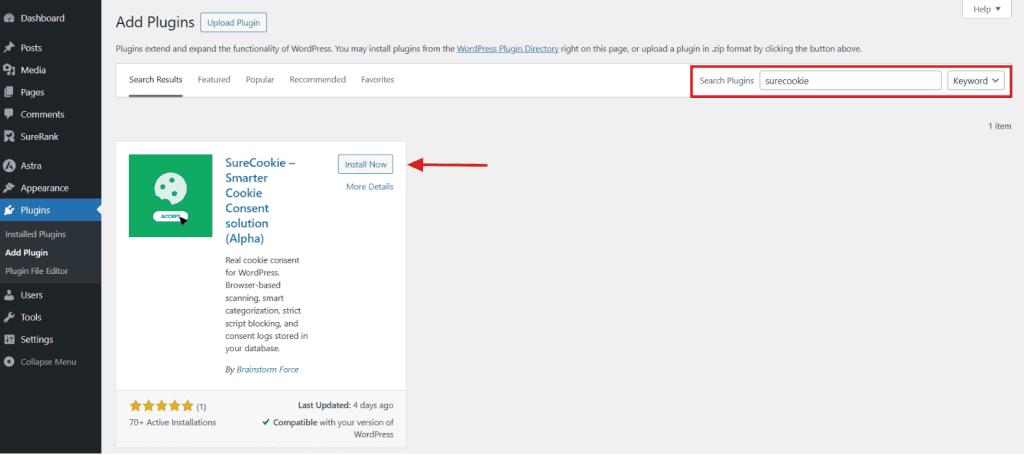
You can also download SureCookie directly from your WordPress dashboard. To do this:
- Go to Plugins > Add New Plugin and search for “SureCookie”.
- Click the “Install Now” button and activate the plugin in the next step.
Installing SureCookie from the WordPress Plugin Directory
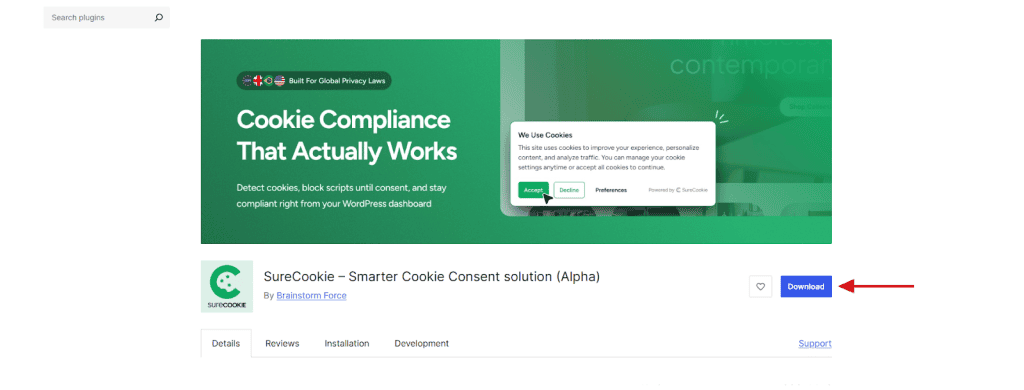
To do this, visit the SureCookie plugin page on WordPress’s plugin directory, then:
- Click on the “Download” button to get the plugin zip file.
- Log in to your WordPress dashboard.
- Go to Plugins > Add New Plugin and click the “Upload Plugin” button at the top.
- Upload the downloaded ZIP file here and click Install Now.
- Click the “Activate Plugin” button once the plugin is installed successfully.
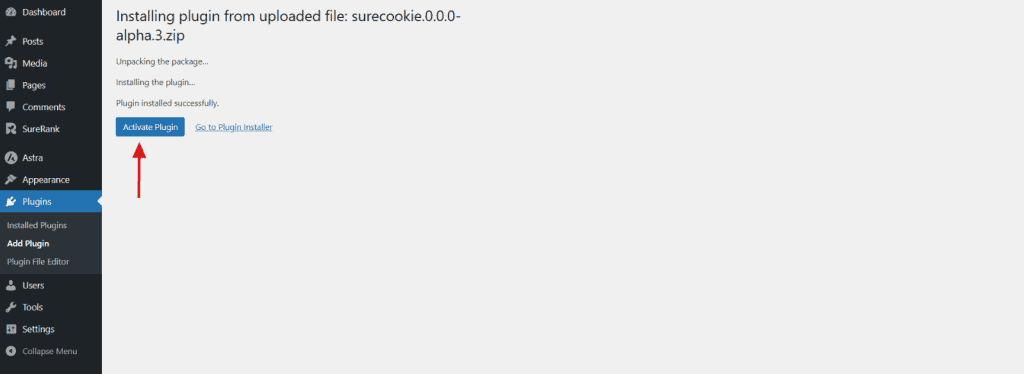
That’s all! Once the plugin is activated, you will be automatically redirected to the SureCookie Onboarding Wizard
SureCookie will be installed on your WordPress website. You can start configuring your cookie consent banner for your website now!
We don't respond to the article feedback, we use it to improve our support content.