
- SureCookie Installation Guide
- Installing SureCookie Pro
- Updating SureCookie
- How to Set Up SureCookie: Onboarding Wizard Guide
- SureCookie Dashboard Overview
- Connecting Your Site to SureCookie (Scanner Setup)
- Using SureCookie on Multiple Sites
- Uninstalling SureCookie & Data Cleanup
- SureCookie Shortcodes Reference
- Preferences Settings (Menu, Branding, Analytics)
- Customizing Banner Content
- Customizing Banner Layout
- Custom CSS for Banner Styling
- How to Configure the Floating Widget
- Customizing the Preference Modal
- Controlling Where the Cookie Banner Appears
- Customizing Banner Colors (Custom Colors, WCAG)
- Customizing the Blocked Content UI
- Banner Text in the Wrong Language (WPML, Polylang, and Locales)
- Re-Consent
- Understanding SureCookie Logs
- How to Set Up Geographic Targeting
- Block Scripts Until Consent (Resource Blocking)
- Setting Up Google Consent Mode v2
- Consent Models Explained (Opt-in vs Opt-out)
- Exporting Consent Logs (PDF Proof + CSV)
- Consent & Data Settings (Duration, Retention, Renew)
- Consent Forwarding Across a Multisite Network
- Resource / Script Blocking (Add Embeds + Fixes)
- Troubleshooting SureCookie
- Fix a Stuck or Failed Cookie Scan
- Why Some Cookies Aren’t Detected
- Banner Not Appearing: Troubleshooting
- Settings or Cookie Categories Not Saving or Loading
- Embeds Blocked After Consent (YouTube, Maps, Vimeo)
- Site Performance / Page Speed
- Scanning Your Site From Your Browser
- Importing and Exporting SureCookie Settings
- Verifying Your Domain With a DNS Record
SureCookie MCP Abilities
When you connect an AI assistant to SureCookie, it does not get free rein over your site. It gets a fixed set of abilities, each covering one area of the plugin, such as settings, cookies, scanning, or consent records.
This page explains what each ability does and when it helps. Eleven are available: nine in SureCookie and two more in SureCookie Pro.
If you have not connected an assistant yet, start with Connecting AI Assistants (MCP) to SureCookie.
How Abilities Work
Each ability groups related actions. The Cookie Management ability, for example, can list cookies, create one, or move a batch into a different category.
Your assistant chooses which ability and action to use from what you ask, so you never name them yourself. You just describe the outcome you want.
Every ability runs as the WordPress user behind your application password, so an assistant can only do what that account could do in wp-admin.
Abilities also carry safety hints that tell your assistant which actions are read-only and which change your live site. A good assistant reads those and confirms with you before anything visitor-facing changes.
Abilities at a Glance
| Ability | Use it to | Plan |
|---|---|---|
| Site Health | Diagnose why something is not working | Free |
| Manage Settings | Read and change plugin settings | Free |
| Content Lookup | Find pages and menus other settings point to | Free |
| Cookie Categories | Organise cookies by purpose | Free |
| Cookie Management | Categorise scanned and custom cookies | Free |
| Known Services | Declare a vendor’s cookies in one step | Free |
| Site Scanner | Run scans and check your allowance | Free |
| Script Blocking | Control what loads before consent | Free |
| Consent Logs | Search your consent records | Free |
| Data Requests | Work the GDPR and CCPA request queue | Pro |
| Geo Rules | Set per-region consent rules | Pro |
Diagnostics and Settings
Site Health
Reports whether your site is connected to the scanning service, how much scan allowance is left, which consent features are switched on, whether scheduled scans will actually run, and whether another cookie plugin is competing with SureCookie.
This is the fastest way to answer “why is this not working?”, and it changes nothing, so it is always safe to run first.
Try: “why is my cookie banner not showing?”
Manage Settings
Reads and updates plugin settings: banner text and layout, consent model, logging, Google Consent Mode, and more.
Settings that carry a real risk are labelled for your assistant. It knows, for example, that switching your consent model to opt-out lets trackers run before visitors answer, which is not lawful for EU and UK visitors, and it will say so before making that change.
Try: “change the banner heading to ‘We value your privacy'”.
Content Lookup
Finds the pages and navigation menus that other settings refer to by ID, such as your cookie policy page or the menu that holds your preferences link.
You will rarely ask for this directly. Your assistant uses it so you can say “set the Privacy page as my cookie policy” instead of hunting for a post ID.
Try: “set my Privacy Policy page as the cookie policy page”.
Cookies and Categories
Cookie Categories
Creates, renames, and removes the categories visitors choose between, such as Analytics or Marketing. It also reports which categories are actually in use.
Built-in categories cannot be deleted, and removing a category that still holds cookies will move or delete those cookies, so your assistant will confirm first.
Try: “add a category for social media cookies”.
Cookie Management
Lists the cookies your scan found and the ones you added by hand, and moves them into the right categories. It can recategorise up to 100 at once, which turns post-scan cleanup from a long click-through into a single request.
Try: “put all the Google cookies under Marketing”.
Known Services
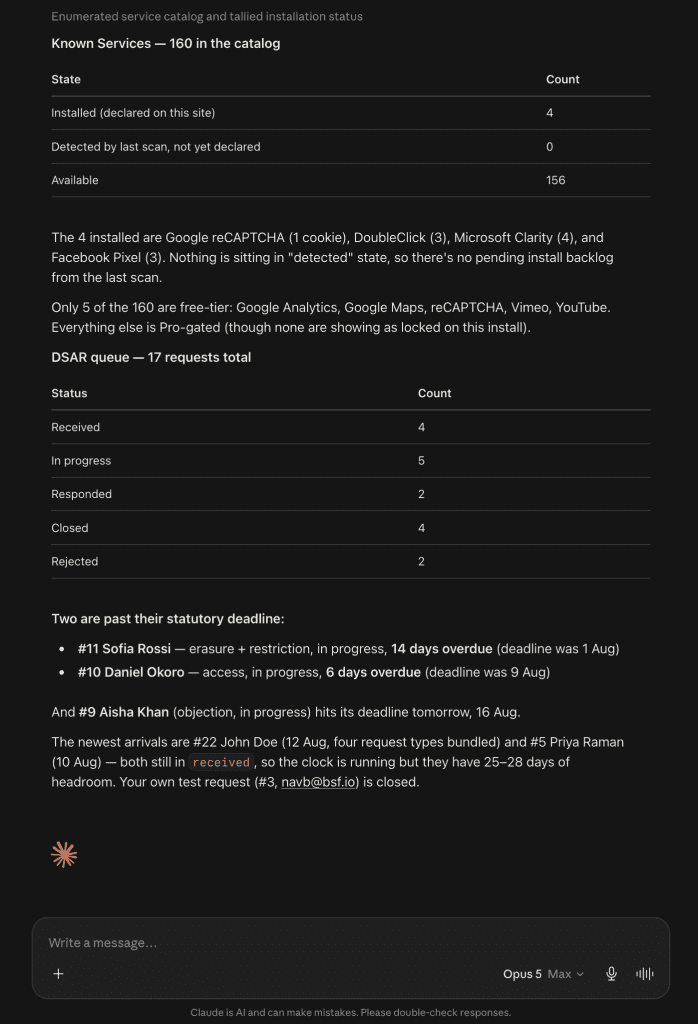
Declares a third-party vendor’s cookies from SureCookie’s built-in catalog, complete with the correct provider, purpose, and duration, plus that vendor’s blocking patterns.
This is almost always better than describing cookies by hand. Ask for services in the “detected” state first, since those are the vendors your site actually loads.
Try: “install the services my last scan detected”.
Scanning and Blocking
Site Scanner
Starts a scan, reports progress, cancels a running scan, and reads your remaining scan allowance.
Checking your allowance before starting is worth doing, because it turns a failed scan into an explanation rather than a mystery.
Try: “run a cookie scan and tell me what changed”.
Script Blocking
Controls what actually loads before a visitor consents. It lists the scripts and iframes your scan detected, shows which category gates each one, and lets you stop blocking a resource or add your own blocking rule.
Every response also reports whether blocking is currently running at all, so you get an honest answer instead of a change that quietly does nothing.
Note: Blocking patterns match on part of a web address, so a short pattern affects far more than you might expect. SureCookie refuses patterns that are obviously too broad.
Try: “why is Google Analytics still loading before consent?”
Consent Logs
Searches and filters your consent records by date, action, country, IP address, or session, and returns totals alongside the matching entries.
Useful when you need to evidence consent for a specific visitor, or check that a recent banner change is producing the choices you expected.
Important: Consent logs contain visitor personal data. Anything your assistant reads becomes part of your chat history, so keep queries narrow.
Try: “how many visitors declined last week?”
SureCookie Pro Abilities
Data Requests
Works the GDPR and CCPA data request queue: listing requests, opening one with its full history, adding internal notes, and answering, rejecting, or closing a request.
It also answers a question no screen in the plugin does, which is what is past its statutory deadline and what is due soon.
Important: Starting, answering, or rejecting a request emails the person who filed it. Your assistant will show you the message and the recipient first. Read both before approving.
Try: “which data requests are overdue?”
Geo Rules
Manages which countries see a banner, under which consent model, and whether scripts are blocked before consent there.
Alongside your rules it reports a list of faults, naming configurations that quietly change who sees a banner. A region set to opt-out consent, or a rule with blocking switched off, will be called out rather than left for you to notice later.
Try: “what would a visitor from Germany see?”
What Abilities Cannot Do
Some things are deliberately out of reach, whatever you ask.
- Recording or changing a visitor’s consent. Consent must come from the visitor. Your consent log is legal evidence, so nothing can write to it on someone’s behalf.
- Verifying a data subject’s identity. The link emailed to a requester is their own credential, and clicking it starts the statutory response clock.
- Activating or deactivating other plugins. Your assistant can tell you a conflicting plugin is present, and stops there.
- Deleting every consent log at once. Individual records can be removed for an erasure request. Clearing the table cannot.
Abilities not listed on this page are internal, may change without notice, and are not supported.
Troubleshooting
- Your assistant says an ability is not available. Check that Enable MCP is on at SureCookie → Settings → Tools → MCP, then restart your AI client.
- The Pro abilities are missing. Data Requests and Geo Rules register only when SureCookie Pro is installed with an active licence.
- A setting will not change. A few settings are managed by a dedicated ability instead of Manage Settings. The refusal message names the one to use.
- Your assistant reports an allowance it cannot read. The site is not registered with the scanning service yet. Run your first scan to register it.
- A change is not visible on your site. Clear your caching plugin, then reload in a private window.
Next Steps
If your assistant is not connected yet, see Connecting AI Assistants (MCP) to SureCookie.
We don't respond to the article feedback, we use it to improve our support content.