
- SureCookie Installation Guide
- Installing SureCookie Pro
- Updating SureCookie
- How to Set Up SureCookie: Onboarding Wizard Guide
- SureCookie Dashboard Overview
- Connecting Your Site to SureCookie (Scanner Setup)
- Using SureCookie on Multiple Sites
- Uninstalling SureCookie & Data Cleanup
- SureCookie Shortcodes Reference
- Preferences Settings (Menu, Branding, Analytics)
- Customizing Banner Content
- Customizing Banner Layout
- Custom CSS for Banner Styling
- How to Configure the Floating Widget
- Customizing the Preference Modal
- Controlling Where the Cookie Banner Appears
- Customizing Banner Colors (Custom Colors, WCAG)
- Customizing the Blocked Content UI
- Banner Text in the Wrong Language (WPML, Polylang, and Locales)
- Re-Consent
- Understanding SureCookie Logs
- How to Set Up Geographic Targeting
- Block Scripts Until Consent (Resource Blocking)
- Setting Up Google Consent Mode v2
- Consent Models Explained (Opt-in vs Opt-out)
- Exporting Consent Logs (PDF Proof + CSV)
- Consent & Data Settings (Duration, Retention, Renew)
- Consent Forwarding Across a Multisite Network
- Resource / Script Blocking (Add Embeds + Fixes)
- CCPA / CPRA Compliance with SureCookie
- Handling Data Requests
- Setting Up Your Business Details
- Generating a Privacy Policy Page
- Recording Consent Without Storing Visitor IP Addresses
- Generating a Cookie Policy Page
- Troubleshooting SureCookie
- Fix a Stuck or Failed Cookie Scan
- Why Some Cookies Aren’t Detected
- Banner Not Appearing: Troubleshooting
- Settings or Cookie Categories Not Saving or Loading
- Embeds Blocked After Consent (YouTube, Maps, Vimeo)
- Site Performance / Page Speed
- Scanning Your Site From Your Browser
- Importing and Exporting SureCookie Settings
- Verifying Your Domain With a DNS Record
Generating a Cookie Policy Page
SureCookie can automatically create and maintain a Cookie Policy page for your WordPress site. The page includes a dynamically generated cookie table that updates whenever your cookie scan results or custom cookie settings change. This guide explains how to generate the page, use the shortcode, and connect it to your consent banner and site navigation.
Open the Cookie Policy Settings
- In the WordPress admin panel, go to SureCookie in the left sidebar
- Click the Compliance tab
- Select Cookie Policy from the Legal Pages menu
- There are two methods available :
- Auto Generate
- Shortcode
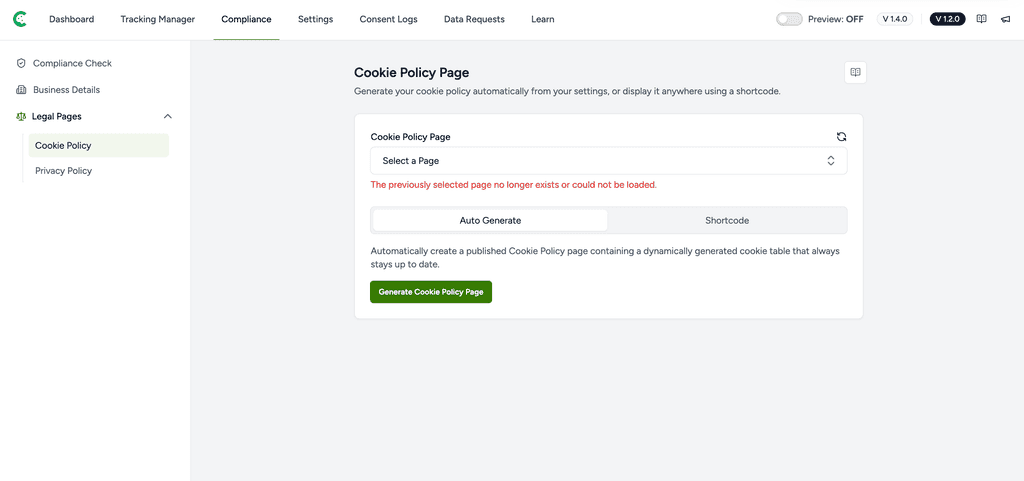
Generate the Cookie Policy Page
The Auto Generate method creates a complete, published WordPress page with a built-in cookie table. To use it:
- Make sure the Auto Generate tab is selected.
- Click the Generate Cookie Policy Page button.
- SureCookie will create a new page called Cookie Policy Page and automatically select it in the dropdown.
- Once the Page is generated you will be able to see the options: Edit Page and View Page
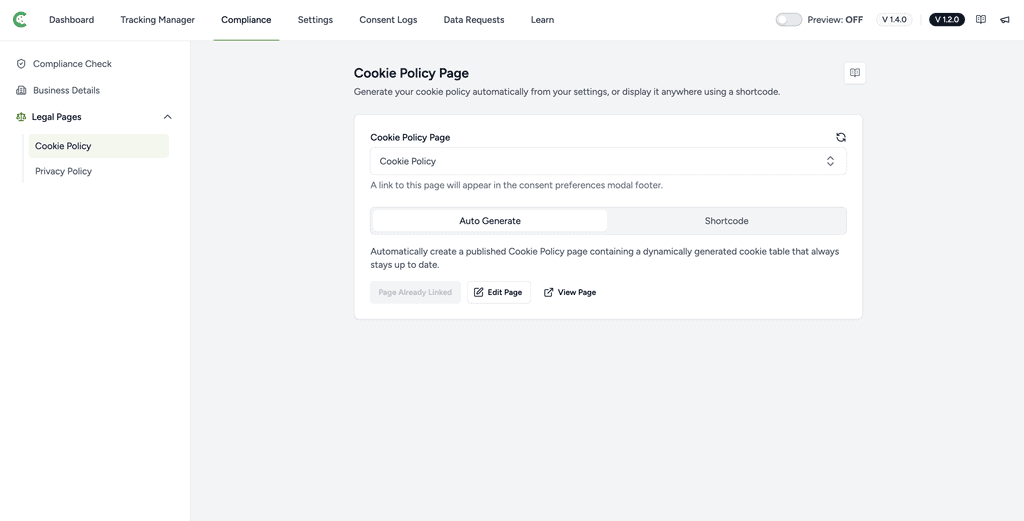
Note: If a Cookie Policy Page already exists on your site (visible in the dropdown), you can select it instead of generating a new one. Generating a second time will create a duplicate page.
Review the Generated Page
Once generated, the page will appear as a published WordPress page titled Cookie Policy Page. It contains a shortcode that renders a live cookie table, pulling data from your most recent scan and any manually added cookies.
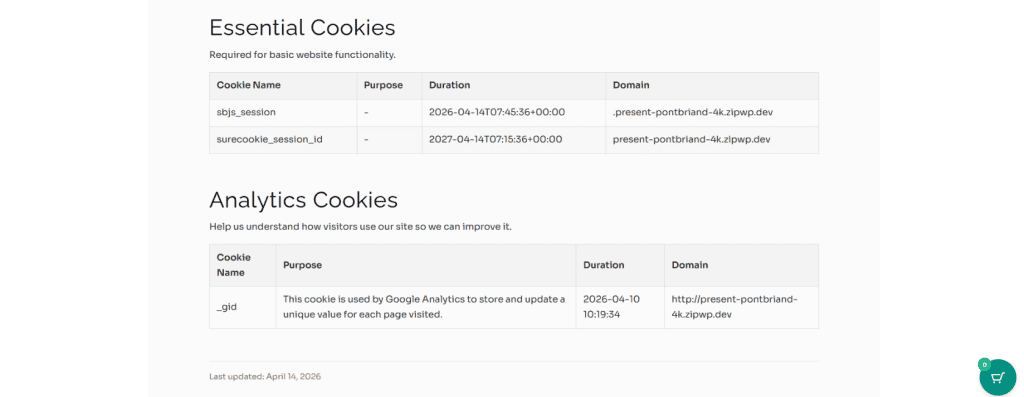
You can visit the page on your site to confirm it displays correctly. The cookie table will reflect your current cookie data automatically without any manual edits.
Customize the Page Content
The generated page uses a shortcode to display the cookie table. You can open the page in the WordPress editor and add your own introductory text, legal language, or company-specific content around the shortcode.
The shortcode that powers the cookie table is:
Do not remove or modify this shortcode. You can safely add text above or below it.
Use the Shortcode on Any Page (Optional)
If you prefer to display the cookie table on an existing page rather than a new one, use the Shortcode tab instead of Auto Generate.
- Click the Shortcode tab in the Cookie Policy section.
- Copy the shortcode:
- Paste it into any WordPress page or post where you want the cookie table to appear.
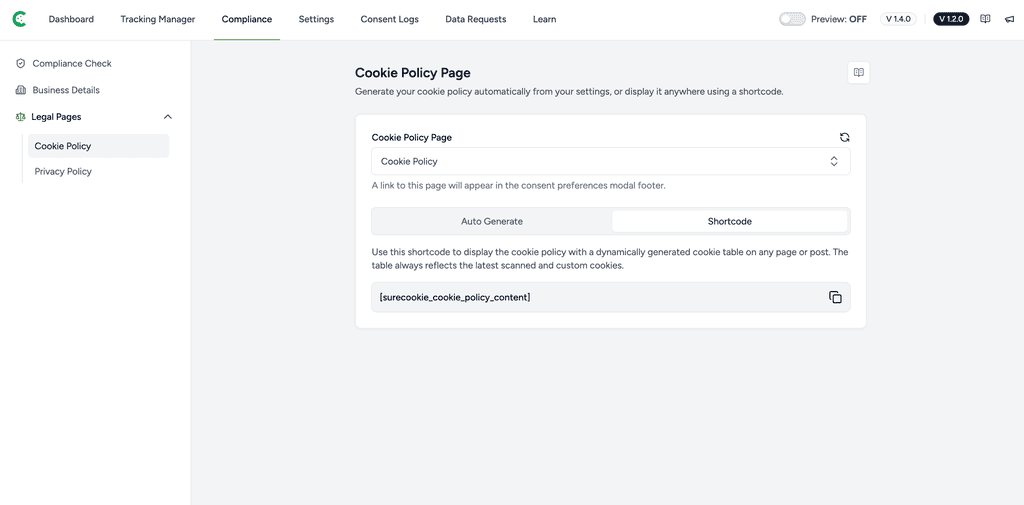
After adding the shortcode to a page, return to SureCookie and select that page from the Cookie Policy Page dropdown so a link to it appears in the consent modal footer.
Link the Page to Your Consent Banner
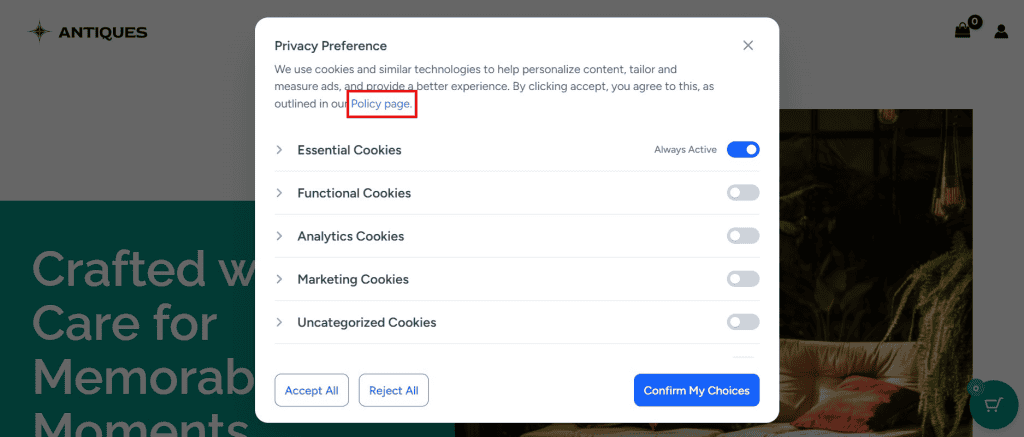
SureCookie can display a link to your Cookie Policy page in the footer of the consent preferences modal. To enable this:
- In the Cookie Policy Page dropdown, select the page you generated or the page where you added the shortcode.
- Save your settings.
- A link to that page will now appear in the privacy preferences, allowing visitors to read your full cookie policy before accepting or adjusting their preferences.
Add the Page to Your Site Navigation
For GDPR and ePrivacy compliance, it is good practice to make your Cookie Policy page accessible from your website footer or navigation menu. To do this:
- In your WordPress admin, go to Appearance and then Menus.
- Find the Cookie Policy Page in the Pages list.
- Add it to your footer or primary menu and save.
This ensures visitors can always find your cookie policy, even outside the consent banner flow.
Keeping the Cookie Policy Up to Date
The cookie table inside the generated page is dynamic. It automatically reflects:
- The latest results from your Cookie Scanner scans.
- Any cookies you have manually added or edited under All Cookies.
You do not need to regenerate or republish the page after running a new scan. The table updates on its own. If you add a new cookie category or modify cookie details, those changes will appear the next time a visitor loads the Cookie Policy page.
We don't respond to the article feedback, we use it to improve our support content.